twitter notifications optimization
Leveraging notifications inbox as a guide for new users
Notifications guide helps new users feel more confident about using Twitter
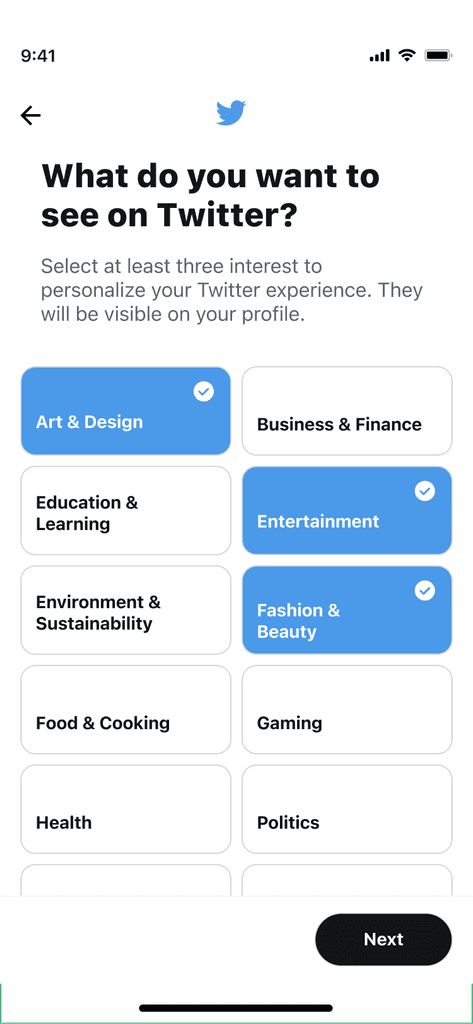
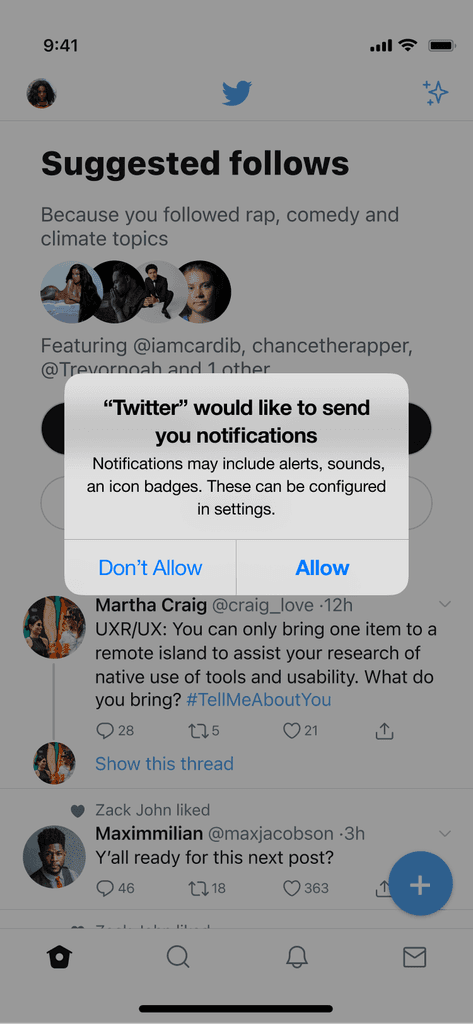
Problem Statement
How might we make it easier for new Twitter users to understand and engage with the platform on their first day when they have no notifications in their inbox?
solution
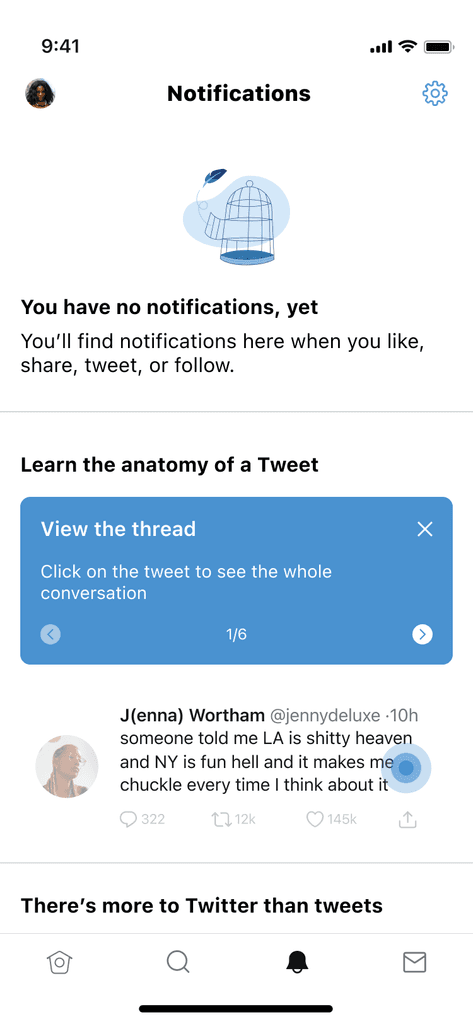
Provide a recently viewed tweet or sample tweet for users to interact with, guiding them through how to engage with Twitter and key features that will help them find community.
Results
Increased week 1 engagement
Higher Month 1 retention
constraints
Research & discovery
Competitors
Social media platform for sharing photos, videos, and stories, with a strong focus on visual content and personal branding.
Strengths
Visual onboarding: Instagram’s notifications help users get familiar with visual storytelling, encouraging early engagement with posts and stories.
Personalized content: Follow suggestions and content recommendations are tailored to user networks, making the experience feel relevant from the start.
More intuitive platform patterns, reducing the need for explanations
Weaknesses

Engagement pressure: New users are often quickly pushed to create content, which might be intimidating for users still exploring the platform.
Less personalized: There’s little focus on mental health guidance or peer support beyond just meeting in groups.
Social media platform for connecting with friends, sharing updates, photos, and participating in groups and events.
Strengths
Welcome notifications: Facebook welcomes new users and encourages them to update their profile with photos, bio details, and interests.
Friend suggestions: New users receive notifications suggesting friends to connect with, based on contacts, mutual friends, and interests.
Personal connections: Facebook focuses on helping new users quickly connect with friends and family, building familiarity making it less intimidating
Weaknesses
Complex ecosystem: Facebook’s broad range of features (events, groups, pages, marketplace, etc.) can feel overwhelming for new users who may not know where to start.
Professional networking platform focused on career development, job searching, and industry connections.
Strengths
Onboarding guidance: LinkedIn sends notifications to help users complete their profiles, such as adding work experience, skills, and education.
Weaknesses
Pacing: LinkedIn’s notifications for new users may seem slow compared to platforms like Instagram or Twitter, where engagement is faster and more frequent.
Limited social engagement: Notifications are often professional in tone, which might make the platform feel more formal or less socially engaging for new users.
User Research
To gain insights, I conducted interviews with new Twitter users and analyzed data on new user behavior, focusing on users who dropped off during the first week. Key findings included:
Lack of immediate interaction: Users often struggled with understanding how to engage on Twitter and find where in-depth conversations were happening
Unfamiliarity with Twitter features: New users frequently weren't aware of niche features like Spaces and Communities.
Desire for guidance: Users expressed a need for more direction in the early stages to learn how to use the platform effectively.
There were 2 recurring themes from the user search:

Feeling of Inactivity on the Platform
Found the platform 'empty' with no notifications.
No initial notifications, which made the platform feel inactive.

Desire for More Guidance
Expected continued guidance post-onboarding
Likes the concept of getting started tips through notifications.
Personas

Guy Mccoy
40 years old
Software engineer
Mid-size tech company
Needs & Goals
Learn how to navigate work politics
Figure out how to reduce stress from deadlines
Find a safe space to discuss challenges without judgment.
"Twitter is so confusing, especially when you're new. There's so much content, and it's hard to figure out where the deeper conversations are happening or the best ways to plug in."

Janet Johnson
25 years old
Freelance social media manager
Needs & Goals
Values efficiency
Needs actionable suggestions for using Twitter to optimize engagement for clients
Just getting started and wants to become a pro ASAP
"I'm feeling a bit overwhelmed and unsure about where to begin. I could really use some guidance on how to effectively engage with others and find the most effective features for my clients to improve engagement."
User Flow & Task Flow
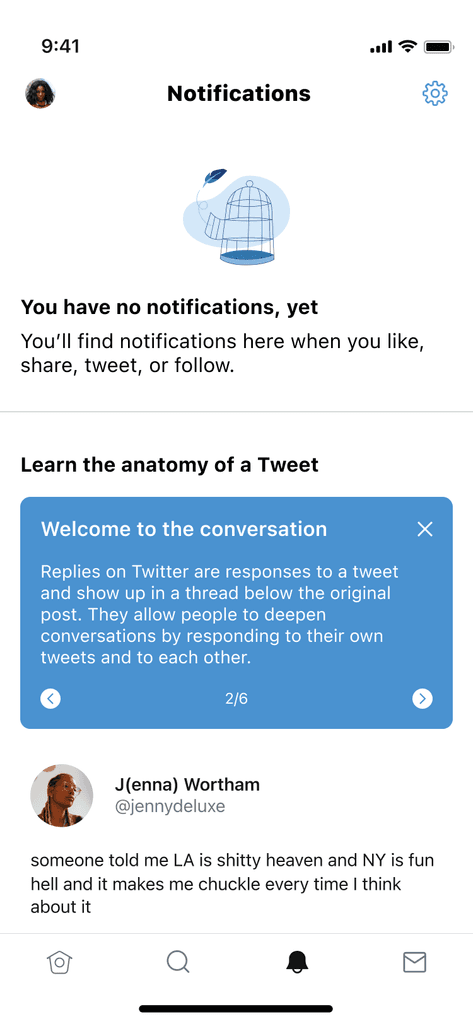
The Twitter inbox user flow starts with users accessing their notifications inbox. If the inbox is empty, users are guided through educational tips on how to use Twitter as well as suggestions to check out Spaces and Communities.
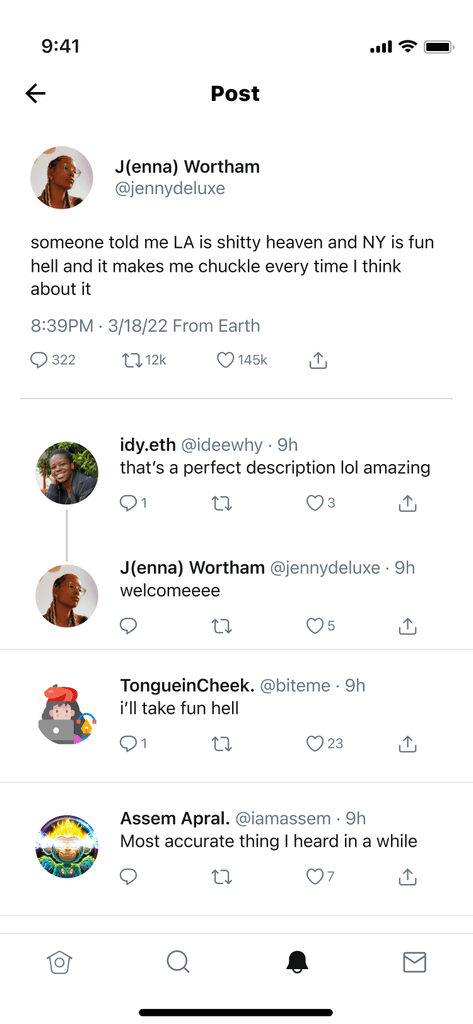
The main task flow requires users to view all the tips for using Twitter and successfully interact with their most recently viewed tweet, if applicable. Else, they are given a sample tweet to interact with.

ideation & wireframing
Ideation
I brainstormed multiple approaches for how to enhance the empty notifications inbox:
A simple vertical outline of Twitter icons and what they mean
Display tips auto-scrolling horizontally, using opacity to highlight relevant features from an example tweet
Leverage a real tweet the user previously saw to interactively walk through how to engage
I narrowed down top option #3 because it best facilitated the goal of driving engagement in real time as well as in the future. I also included elements of option 2 in order to make the UX as intuitive as possible.

Prototyping
I developed interactive prototypes to test different approaches to filling the empty inbox space. We conducted usability tests, focusing on:
Clarity of the demo tweet: Testing whether users understood the actions they could take (like, retweet, reply) and how it relates to their future experience on Twitter.
Engagement with Spaces and Communities prompts: Measuring how receptive people were to the recommendation of the niche features
Ease of navigation: Ensuring users could quickly move from the demo content to actual engagement on the platform.
After testing, we found that users were highly responsive to the sample tweet feature, particularly when combined with suggestions for Spaces and Communities. They appreciated the interactive guide and felt more confident in exploring the platform after completing the walkthrough.
testing & iteration
I created low fidelity wireframes to validate both the user experience as well as understand receptiveness to the overall concept. The feedback helped evolve designs from the first iteration to a more intuitive, clear user experience.
Before
After
Tooltip Structure
Before: No structure to the guided tutorial; low space and limited structure

V0
#
After: Structured tooltip enables easy skimming and digestibility

V1
Tip Navigation
Before: Auto-scroll navigation risks information being displayed too slowly or quickly for users

V0
#
After: Navigation UI allows users to navigate content at their pace

V1
Highlight UI
Before: Had a fixed relationship between the tooltips and the mechanism used to highlight, creating a static and less visually aesthetic experience.

V0
#
After: Separated the tooltip from the highlighting, Leveraged a lighter hue to make the call out more on-brand and clearly appear to be interactable.

V1
Progress Indicator
Before: Shape-based indicator gave a high level sense of completion which was not very motivational and clear
V0
#
After: Numerical navigation allows for exactness, providing greater achievement of how much the user has learned

V1
Aiding Twitter Feature Discovery
Before: List-format to list additional features or things users can do to discover more content on Twitter

#
After: Show, don't tell. Provide direct entry points to the most engaging features for new users upfront


V0

V1
Last Seen Tweet as Demo
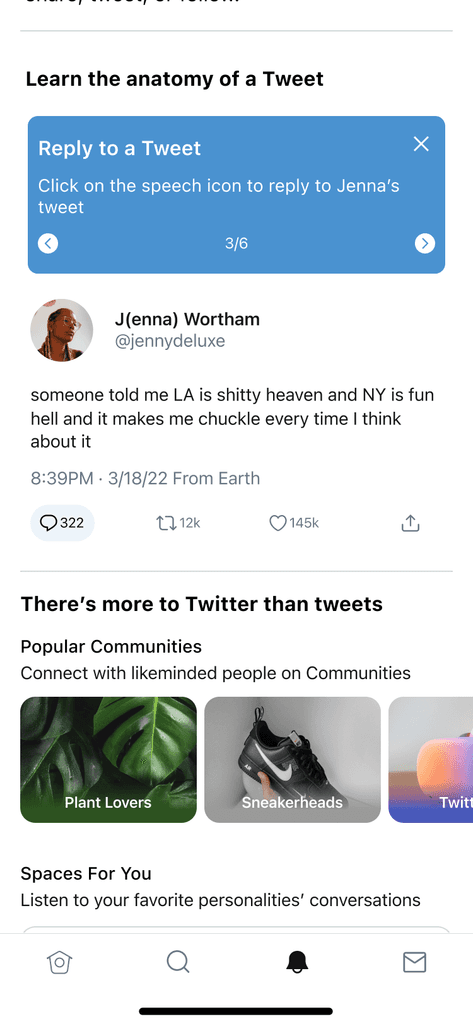
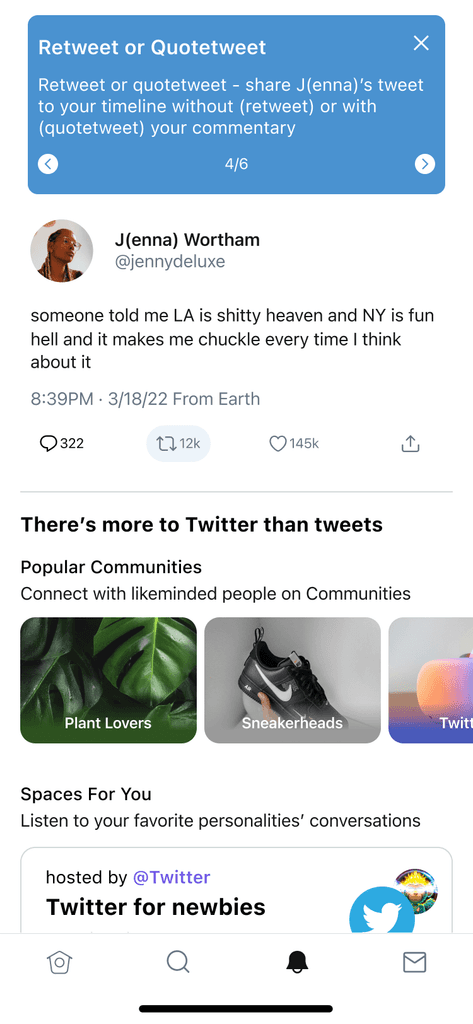
Display the user's last viewed tweet in the notifications inbox, demonstrating the core actions of replying, liking, and retweeting and as a hands-on guide, allowing users to interact with it as if it were a real tweet.
Interactive Notification Tips
Added tooltips explaining how notifications work and how users can trigger them by following people, engaging with content, and participating in discussions.
Feature Highlights for Spaces and Communities
Introduced users to Twitter Spaces and Communities via carousels with direct links to browse ongoing audio conversations or join communities that align with their interests.
Higher First-Week Engagement
New users who completed the interactive walkthrough engaged more on Twitter in their first week (likes, follows, comments etc)
Higher First-Month Retention
New users who completed the interactive walkthrough showed a 2.5% higher likelihood of returning to the platform after the first week.
Increased Feature Adoption
There was a 12% increase in new users exploring Spaces and Communities after receiving prompts in their notifications inbox.
Improved Understanding of Twitter
Feedback from user surveys indicated that users felt more confident navigating Twitter’s features, particularly when it came to interacting with content and participating in discussions.
Iterate by shortening the length of the tutorial and/or the highlighted features/functionalities within the tutorial (ie. show people how to use hashtags)
Explore similar guided tutorial for more Twitter features ie. bookmarks, Spaces etc